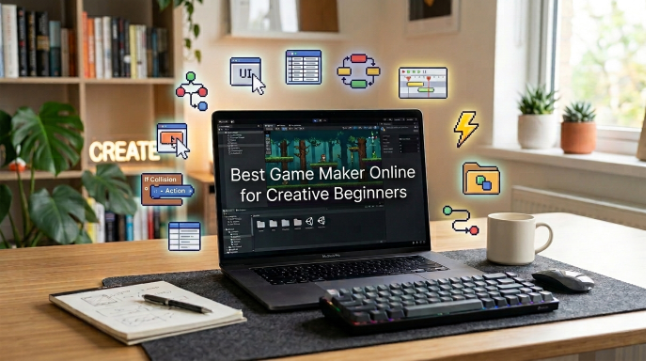
Best Game Maker Online for Creative Beginners

If you have creative ideas but no idea how to turn them into a game, finding the right game maker online can be frustrating. Maybe you don’t know how to code, and all the software makes the process more intimidating than it has to be. Astrocade a gaming platform, can be a good place to start for beginners who want to get into game making as a casual hobby.
This post will show you how to choose a beginner game maker online, such as Astrocade and other platforms. From simple tools to game creation, sharing, and testing, we’ll introduce creative features so you can feel confident getting started.
Pick Easy Tools
If you are new to game development, then using a simple tool can save you a lot of time. Look for a platform with a simple interface, clear controls, and beginner-friendly features. A great tool should let you focus on your game concept, rather than navigating complex configurations.
Browser-based applications are great because you can start creating without downloading an unwieldy program. Some of the platforms also give you ready made characters, backgrounds, sounds and templates. These can help you get started on your first project faster as you learn the ins and outs.
Create Simple Games
Your first game doesn’t need to be an adventure game zoo. Begin with a simple game type puzzle, platformer, racing game, or learning game. A mini project helps you get a taste of the gameplay mechanics without feeling overwhelmed.
A game maker online enables you to simplify the entire process by offering you tools to make scenes, characters, objects, levels and much more. Build one small level first. When it runs OK, you can add more challenges and features.
Add Fun Ideas
A creative game needs more than buttons and characters. Consider what makes the game fun for your players. You can include rewards, fun challenges, colorful backgrounds, humorous characters, or simple sounds that make actions get more exciting.
You don’t need to put every idea in at once. Pick a handful of features that fit the core concept. Like, an ABC game might have letter challenges, simple rewards and entertaining animations. The little things can add up to making a simple project a lot more fun.
Test Your Game
Testing lets you catch problems before other people play your game. Press every button, go to every level, do every character action and use every feature you make. Check for things that are broken or unclear.
It can also help to have somebody else play your project. A friend can spot issues you didn’t because you already know how the game is supposed to work. Listen to what they say, take care of the biggest problems first, then test the game again.
Share Your Creation
Once your game feels done, the sharing is one of the most exhilarating parts of the process. Several online services simplify publishing or sharing projects with other gamers. You can send your game to friends or build an audience around your creations.
If your first game attracts only a handful of players, don’t despair. The point is to learn and get better. Every project gives you more experience in game design, creativity, and problem solving. Eventually you’ll be able to make bigger and better games.
Conclusion
Choosing a good game maker online can make game development much easier for novice game developers. Using basic tools, a tight-scope small project and some patience, you can turn an idea into something you can really play. You can even start with a simple Slash a Brainrot game to learn the basics while still having fun.
Pick a simple concept at first and concentrate on learning instead of making everything perfectly. Test, listen feedback, and keep experimenting. Your first game: A game or a comparable simple project is your creative beginning, and the start of your journey as a game designer.
See also: Is Compounded Tirzepatide Going Away? FDA Status
FAQs
What is a game maker online?
An online game maker is a web application that lets users make games without always requiring complex programming skills. A lot of the platforms have templates, visual editors, characters, and other resources you can use.
Can beginners create games online?
Yes. Easy online tools let beginners make simple games. You can begin with simple games and work your way up to more advanced skills.
Do I need coding to use an online game maker?
Not necessarily. Some platforms offer visual or no-code tools that let you create games with little to no code. That said, a little coding know-how can give you much more control over your projects.
What type of game should a beginner make?
An easy to learn 2D game is in general a good place to begin. You might make a puzzle, platformer, racing game, quiz, or educational ABC game.
Can I share games I create online?
Most game engines let you publish or share your projects with others. Specific sharing settings vary depending on the platform you use.